How to Securely Wipe Company Laptops Before Disposal
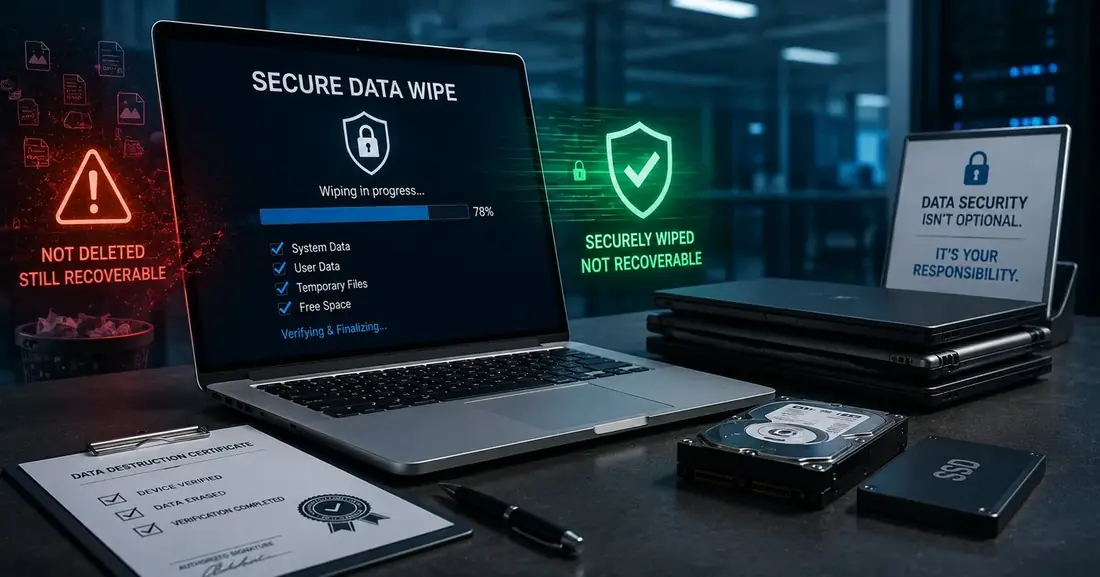
The most common data-disposal failure in Indian enterprises is not malice or negligence. It is a reasonable-sounding assumption: that deleting files and reformatting a drive clears it. It does not, and the gap between what people believe happened and what actually happened is where breaches live.
Why deleting and reformatting fail
When you delete a file, the operating system does not overwrite the data. It removes the pointer that tells the file system where the data sits and marks that space as available for reuse. Until something else overwrites it, the data is intact on the platter or in the flash cells.
A quick format does something similar at a larger scale: it rebuilds the file system's index without touching the underlying data blocks. Recovery tools, many of them free, several of them consumer-grade, are built specifically to walk a drive looking for data that is present but unindexed.
The practical test is simple: if a first-year IT student with a free tool could recover something meaningful from a drive you disposed of, that drive was not wiped.
This matters more than it used to. A retired finance laptop may hold cached credentials, downloaded reports, local mail archives, and browser-stored sessions. A developer machine may hold source code and API keys. A BPO workstation may hold call data. None of that is protected by dragging a folder to the recycle bin.
HDDs and SSDs need different treatment
This is the technical detail most disposal conversations skip, and it is the one that changes what “secure” means.
Traditional hard disk drives (HDDs)
HDDs store data magnetically on spinning platters at addressable locations. Overwriting a given sector genuinely replaces what was there. Software-based overwriting is effective on HDDs, and a single thorough overwrite pass on a modern drive is widely accepted as sufficient.
Solid state drives (SSDs)
SSDs behave differently, and this is where naive wiping breaks down. SSD controllers use wear levelling to distribute writes across flash cells and extend drive life. The address your operating system writes to is not necessarily the physical cell holding the old data. As a result:
- Overwriting an address may write to a different physical cell entirely, leaving the original data resident.
- SSDs maintain over-provisioned spare capacity that the operating system cannot directly address, and data can persist there.
- Repeated overwrite passes, the traditional HDD approach, wear the drive without reliably clearing it.
For SSDs, the correct approach is a controller-level secure erase command (the drive's own firmware clearing its cells), cryptographic erasure where the drive is self-encrypting and the key is destroyed, or physical destruction.
The mistake to avoidRunning an HDD-era multi-pass overwrite tool across a fleet of SSDs and treating the completion message as proof. It produces a log that looks like evidence while leaving recoverable data behind.
The three defensible options
Whatever your fleet looks like, mature disposal comes down to three approaches, chosen per device type and data sensitivity:
- Certified software erasure. Purpose-built tooling that issues the correct command for the drive type, verifies the result, and produces a per-device report tied to the drive serial number. The verification and the report are what make it defensible, not the wiping itself.
- Cryptographic erasure. Where drives are self-encrypting and were encrypted from first use, destroying the encryption key renders the data unreadable. This is fast and effective, but it depends entirely on encryption having been enabled from the beginning, not switched on the week before disposal.
- Physical destruction. Shredding or crushing the drive so that recovery is not a practical proposition. This is the only option that does not depend on firmware behaving as documented.
When physical destruction is the right call
Software erasure is appropriate for most fleets and preserves resale value, which matters when you are trying to offset disposal cost. But there are situations where physical destruction is the defensible choice:
- The drive has failed and cannot be reliably written to: a dead drive is not a wiped drive, and this is one of the most commonly mishandled cases.
- The device held regulated or highly sensitive data and your internal policy or a client contract requires destruction.
- The drive is old enough that its firmware secure-erase implementation cannot be trusted.
- The residual resale value is low enough that the risk calculus does not favour preserving the hardware.
In practice, most enterprise batches are mixed: working drives with resale value get certified erasure, failed and high-sensitivity drives get shredded. A vendor who only offers one of these is fitting your requirement to their capability.
What to document
Wiping without documentation is unverifiable, and unverifiable is functionally the same as undone when someone asks six months later. At minimum, retain:
- Device-level records: make, model, and serial number of every drive processed.
- Method used per device, and the verification result.
- Date and operator for each action.
- A Certificate of Destruction covering the batch, referencing those device-level records rather than replacing them.
We cover what belongs on that certificate in detail in what a Certificate of Destruction should actually contain.
If you'd like a structured read on where your current process stands, our free Exposure Score scores it across security, compliance, and sustainability in about ninety seconds. Or see how our certified data destruction service handles mixed batches.