Office Relocation: The IT Disposal Checklist Nobody Writes
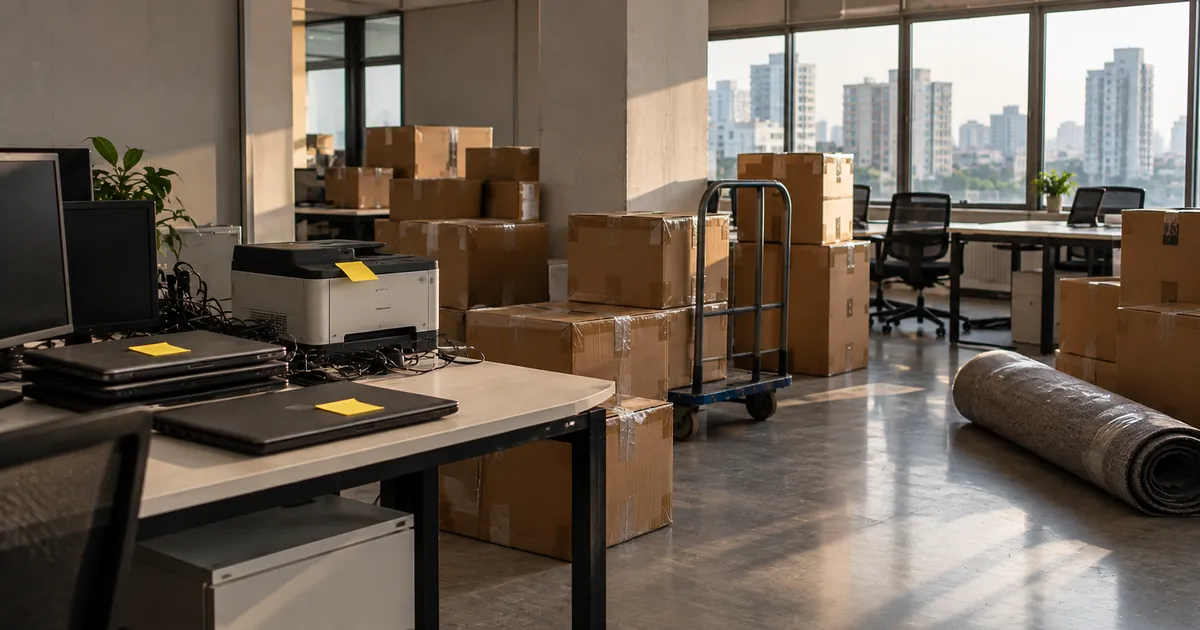
An office move is the one time every device in the building gets touched. It is also the time devices quietly disappear. Movers pack what is on desks. Nobody packs the storeroom. The old building is handed back with a cupboard of laptops, a printer with a hard drive inside it and a CCTV recorder still on the wall.
This checklist is for the IT or admin person who owns the move. It covers what to retire, when, and which documents to collect so the move closes cleanly.
Why moves are where devices go missing
Three things happen at once. Headcount planning decides some equipment will not come to the new office. The movers work from a floor plan, not an asset register. And the deadline is fixed by the lease, so disposal is left to the last week.
The result is a pile of equipment that nobody signed for. If any of it held data, you now have an open question on your risk register that will surface at the next audit.
The eight-week checklist
Eight weeks before
- Pull the asset register and walk the floor. Reconcile what is listed against what is actually there, including storerooms and server rooms.
- Mark every device as move, retire or undecided. Retire anything past four or five years; it rarely justifies the moving cost.
- Get a valuation for the retire list. Selling before the move turns a cost into a small recovery.
Four weeks before
- Book the disposal vendor and fix a collection date at least a week before the movers.
- Ask the building management of both sites about gate passes, service lift slots and loading hours.
- Decide the data method per device type: verified wiping for devices you want value from, onsite destruction for anything your policy says cannot leave intact.
Two weeks before
- Back up and offboard users on retiring laptops.
- Release management locks: Autopilot, Intune or your MDM, Apple Business Manager and BIOS passwords. Locked devices sell for parts.
- Label everything that is leaving with its asset tag, and keep chargers with laptops.
Collection week
- Record every serial number at handover and sign the list with the vendor.
- Keep sensitive drives onsite until they are destroyed, if your policy requires it.
- Walk the old office one last time with the facilities team before keys are returned.
Devices people forget hold data
Laptops and servers get attention. These do not, and every one of them can hold personal or business data:
- Multifunction printers. Many office printers and copiers have an internal hard drive or flash storage that keeps copies of scanned and printed documents.
- Biometric attendance machines. They store employee fingerprints or face templates, which is personal data.
- CCTV recorders. DVRs and NVRs keep weeks of footage on hard drives.
- EPABX and IP phone systems. Voicemail, call logs and directories.
- Conference room screens and smart TVs. Often left signed in to accounts.
- NAS boxes under desks. Team shares nobody remembers setting up.
- Routers, firewalls and access points. Configurations hold passwords and VPN keys.
- Old phones and tablets in drawers, often still signed in.
Moving within Mumbai
In Mumbai the building is usually the constraint, not the distance. Commercial towers in BKC, Lower Parel and Powai book service lifts by the slot and ask for vendor details in advance. Older buildings in Fort have narrow stairs and no loading bay. If your move falls between June and September, make sure everything leaving is wrapped, because rain damages resale value and complicates destruction records.
Schedule the disposal pickup before the movers, not on the same day. Two vendors competing for one service lift is how things get left behind.
After the move
- Collect the Certificate of Destruction and check every serial on it against your retire list.
- Collect the Form 6 e-waste manifest and the recycling certificate.
- Update the asset register: retired devices closed, moved devices at the new location.
- File the documents where your auditor will look for them.
Done this way, the move closes with a clean register instead of a cupboard of questions.